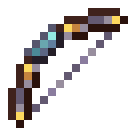
Compatibility
Minecraft: Java Edition


Creators

Details
Licensed ARR
Published 8 months ago
Updated 6 months ago
What Is In This Pack?
Disclaimer: This pack only contains 1 extra texture for a bow named "My Bow"
You can use this pack as a template for your own creations!
Texture changes as the item gets more damaged
"Default" - More than 58 durability
"Damaged" - Between 57 and 39 durability
"Destroyed"- Between 38 and 20 durability
"Dead" - Less than 19 durability
Vanilla Tweaks Diminishing Bow (Default Bow)

"My Bow"

Customizing Tutorial
Lucky for you! Here are 3 ways you can add to this pack and make it your own!
EASY
Do you want to name your bow something else INSTEAD OF "My Bow" to take on your custom texture?(This only lets you have 1 specific "bow" texture, only changing what you name the item)
-> Open assets\minecraft\items\bow.json
-> Go to line 8
-> Change "My Bow" to whatever you want (Example: "My Gun")
   (Make sure to keep the "" )

You have now chosen a custom name for your bow!
MEDIUM
Do you want to ADD another naming option for your SAME texture?(This lets you link two (or more if you want) names to the same texture)
-> Open assets\minecraft\items\bow.json
-> Go to line 7
-> Select and copy EVERYTHING from line 7 to line 162
-> !!! Add a comma ( , ) after the curly bracket ( } ) on line 162
-> Paste everything you just copied after the comma ( , )
-> Go to line 8
-> Change "My Bow" (or whatever it is if you did the "EASY") to whatever you want (Example: "My Gun")
   (Make sure to keep the "" )

Now differently named bows can have the SAME texture! ("My Bow" AND "My Gun", both look the same)

You can repeat this as many times as you want :)
EXTREMELY TEDIOUS
Do you want to have MORE than 1 option for textures?(A bow named "My Bow" takes on texture "A" and a bow named "My Gun" takes on texture "B" and so on)
This has you work with LOTS of files
-> Open assets\minecraft\items\bow.json
-> Go to line 7
-> Select and copy EVERYTHING from line 7 to line 162
-> !!! Add a comma ( , ) after the curly bracket ( } ) on line 162

!!On a DIFFERENT text document!!
-> Paste
-> Replace every instance of "arc" with whatever you want
   (example: Line 13 will be:  "model": "minecraft:item/arc", replace with "model": "minecraft:item/whatever")
   (keep in mind this word will be used in every file we create now)
   (on notepad you can press ctrl+f to search for "arc" and easily replace all of them at once)
-> Select and copy EVERYTHING

!!Back to assets\minecraft\items\bow.json!!
-> Paste everything you just copied after the comma ( , ) on line 162
-> Go to line 163
-> Change "My Bow" (or whatever it is if you did the "EASY") to whatever you want (Example: "My Gun")
   (Make sure to keep the "" )

!!Move to the folder assets\minecraft\models\item!!
-> In here you will find 4 folders named "arc..." and 4 json files with the same names
   (and the same amount for "bow", but leave those alone)
-> Clone each of these folders and files and replace "arc" in their names with whatever
   (File Example: "gun.json", "gun_pulling_0.json"; Folder Example: "gun", "gun_pulling_0")
-> Inside each of these folders are 4 more files (yes, each), do the same thing you just did
-> Now go EDIT each json file, replacing "arc" with whatever (Example: "gun")

!!Move to the folder assets\minecraft\textures\item!!
Now for the "fun" part
-> In here you will find 16 "arc..." textures (and 12 "bow...", but ignore those)
-> Draw or find or trace 16 new textures for your very own new bow
-> Follow the naming scheme of the old textures (replacing arc with your chosen word)
-> Place the 16 new textures in the folder

Good Job! Now differently named bows can have INDEPENDENT textures! ("My Bow" with texture "A" AND "My Gun" with texture "B")
If you seriously followed this whole tutorial, GGs!
Have fun playing with your new bow :)
These same tutorials are in the README.txt in the downloaded zip
Credits
- Vanilla Tweaks: Diminishing Tools : the bow is used as the default bow and was used as a base for the other textures
- The rest is original