Compatibility
Minecraft: Java Edition
Platforms
Supported environments




Details
Backslot Mod
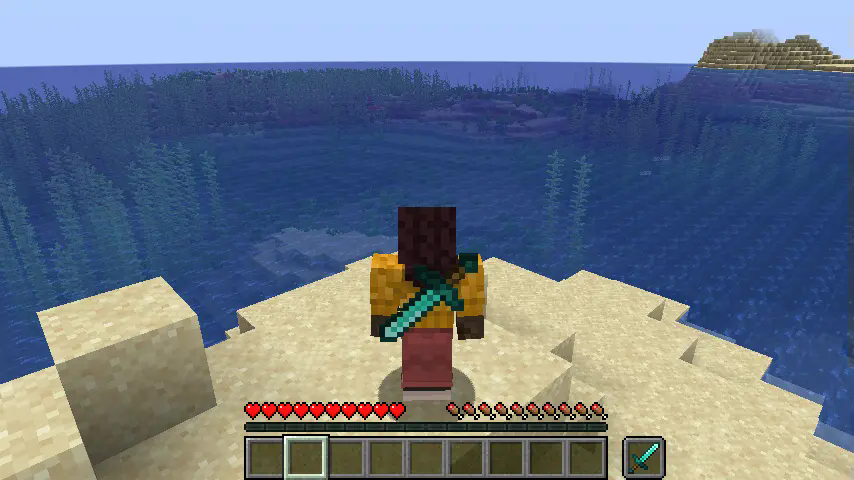
This mod adds Another inventory Slot: The Backslot!
Okay, But how does it work?
The Backslot
The backslot is a hotbar slot-like slot that stores one stack of items, can be selected and doesnt drop on death. There are also two keybinds to acces it, more on those later.
Keybinds
This mod adds 2 keybinds:
- Swap With Backslot: Swaps the item you are currently holding with the item in the backslot!
- Select Backslot Item: will make the item in the backslot act as if in the main hand,
allowing full usage of the item!
Commands
If you are worried about players hiding items from admins in theire backslot, worry no more!
This mod also adds 2 new admin commands:
- "/backslot_clear <PlayerName>": Clears the backslot of the specified player.
- "/backslot_check <PlayerName>": Shows admins what the player has in their backslot.
Configuration
This mod also includes configuration options:
- Blacklisted items and blocks: For items and blocks that should not be in the backslot.
- Large Items: For items that use a larger model and thus need to be scaled up in the backslot.
- Should Drop Backslot Item On Death: For changing if items on your backslot items drop after dying.
-
Mod Compatibility (new with 1.1.4)
You can now add Compatibility for this mod using texturepacks or your mods assets folder!
If you are making a item with a custom model, but it doesnt look good on the backslot, you can change that!
Simply go under your namespace inside the assets folder then add a folder called "back_transforms"
and inside there add a .json file named after your item's ID.
Example: "assets/your_mod_id/back_transforms/your_item.json"
Inside this json file you can edit how the item is shown, here you see the default settings:
Preview Picture (More in Gallery)